The outcome is stated first. The mechanism underneath shows exactly how the operating model produces it.
01
Know what each product actually earns.
Enter your COGS once and every number becomes real profit: contribution margin per SKU, net of Amazon fees, fulfillment and ad spend. The products that look strongest on revenue are not always the ones worth scaling.
02
Your whole catalog is covered.
Every product gets attention every day, including the ones nobody has time to open. Coverage stops depending on which ASINs made it into this week's review.
03
Spend that respects reality.
Inventory depth and listing status are live inputs, not monthly checks. Spend throttles as a stockout window approaches, then returns as cover recovers.
04
Nothing happens that you cannot see.
Every automated decision is visible, explained and reversible. Automation you cannot inspect is not automation you should trust. The rules behind it are yours to change at any point.
Workspace / Ad Manager
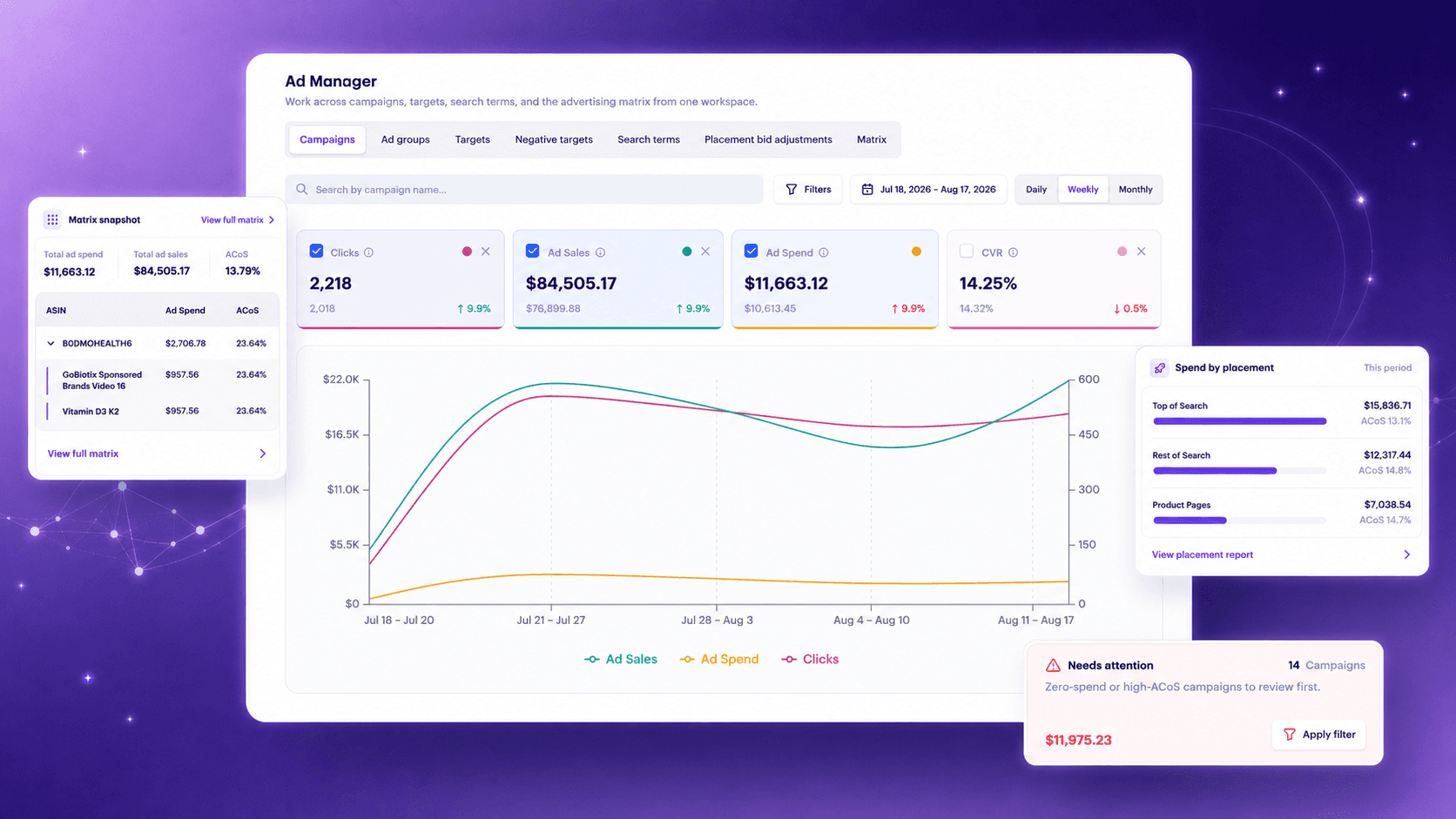
Work the account, not the reports.
The Ad Manager is a working surface, not another dashboard. Campaigns, targets and performance sit in one place, so you act where you analyze instead of getting lost in Seller Central report exports. And because every change lands in the same decision record as the engines' own actions, the account stays fully audited no matter who touched it.
Ad Manager · Campaign workspace demo
Platform / Engines
Five engines run the account.
Five focused engines keep bids, hours, campaign coverage, inventory risk and wasted search terms under continuous control.
Engine 01 / Daily Bid
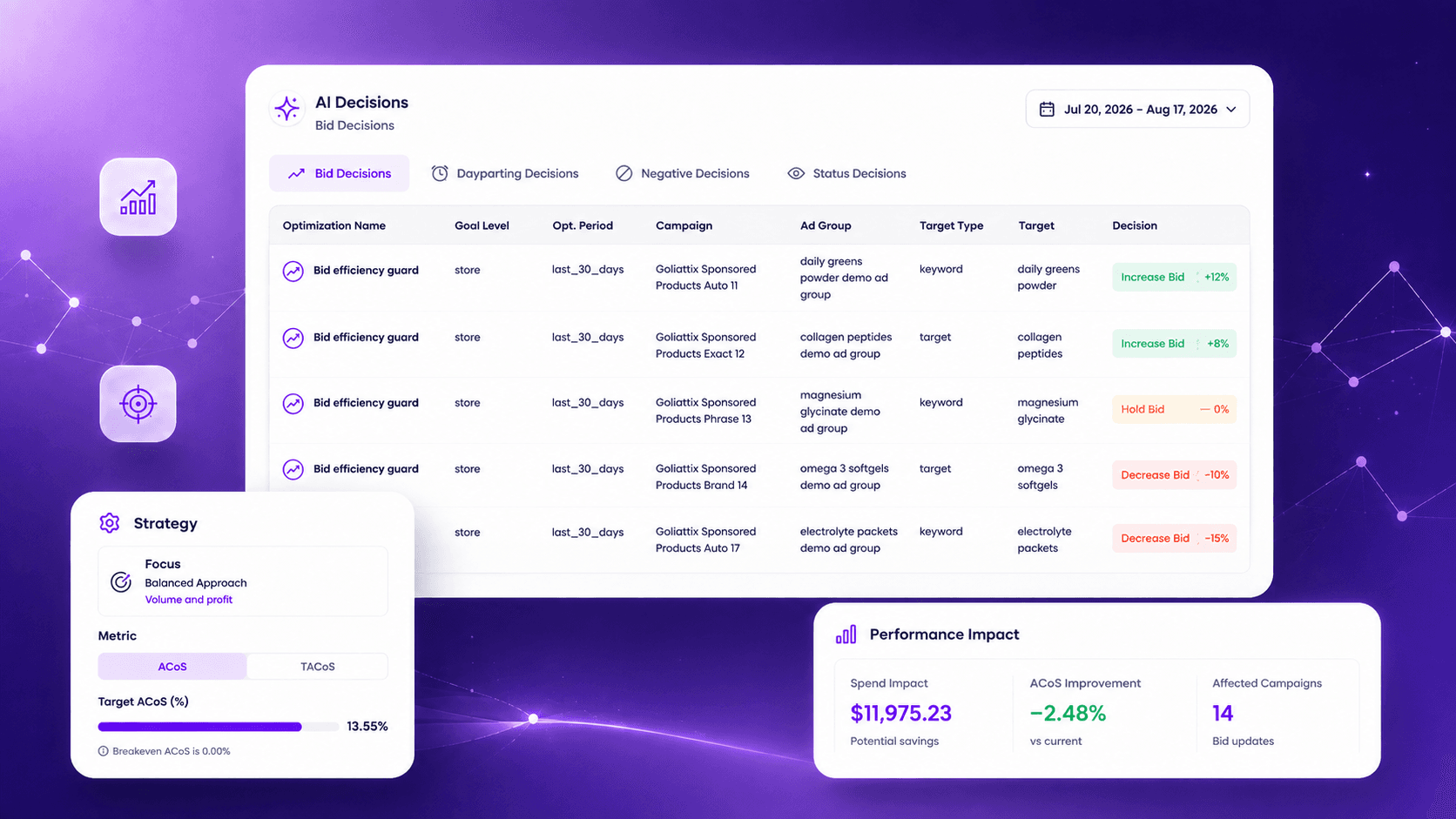
Bids that move with the market, not with your calendar.
Bids are recalculated against live conversion, ACoS and TACoS signals rather than a daily batch. The rules governing those adjustments ship preconfigured and can be rewritten at any level.
AI Decisions · Bid decisions demo
Engine 02 / Dayparting
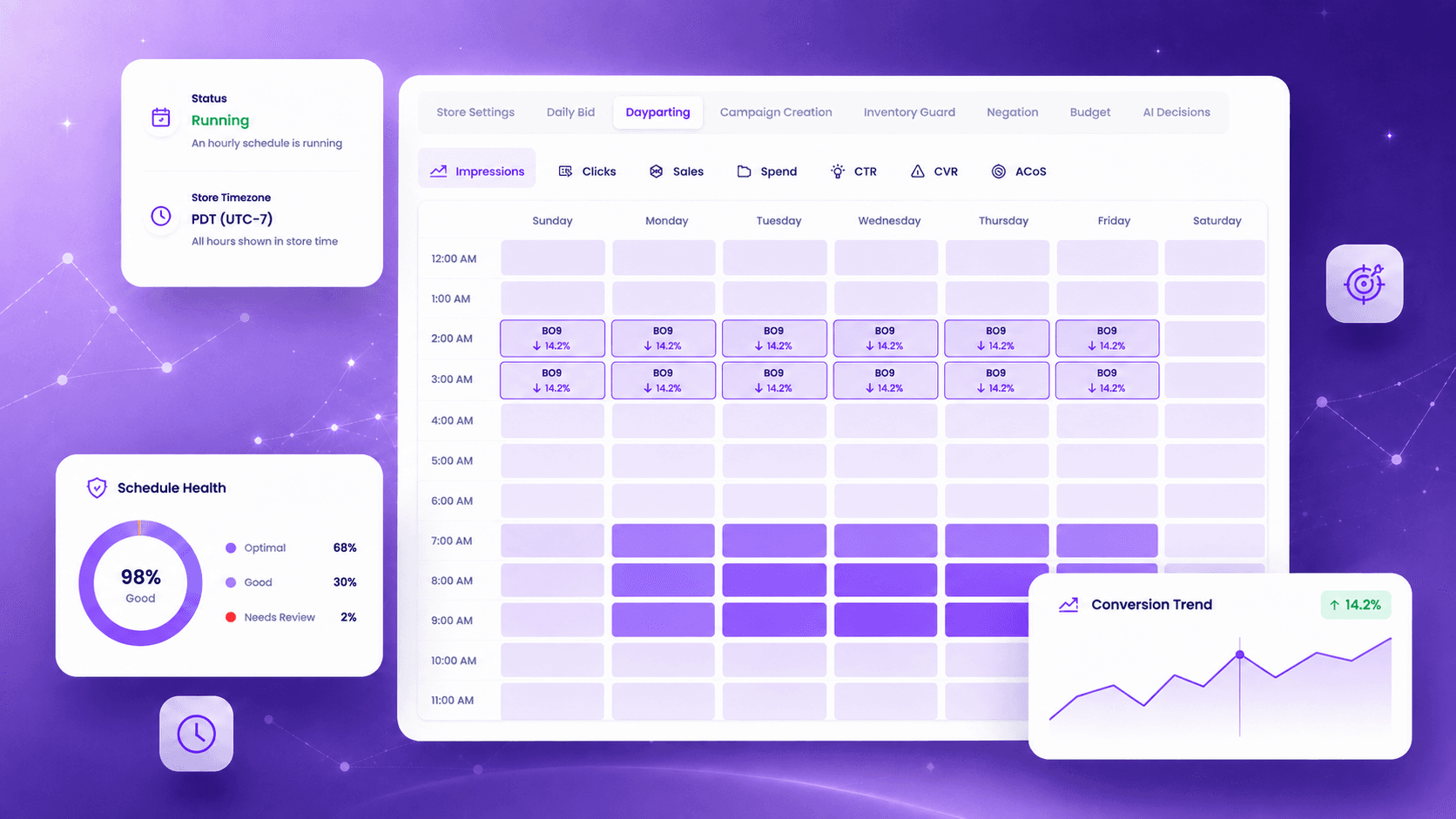
Stop paying peak rates in hours that never convert.
An hourly conversion pattern is built per product, not borrowed from a category average. The schedule recalibrates from a rolling four-week window.
Dayparting · Demo data
Engine 03 / Campaign Creation
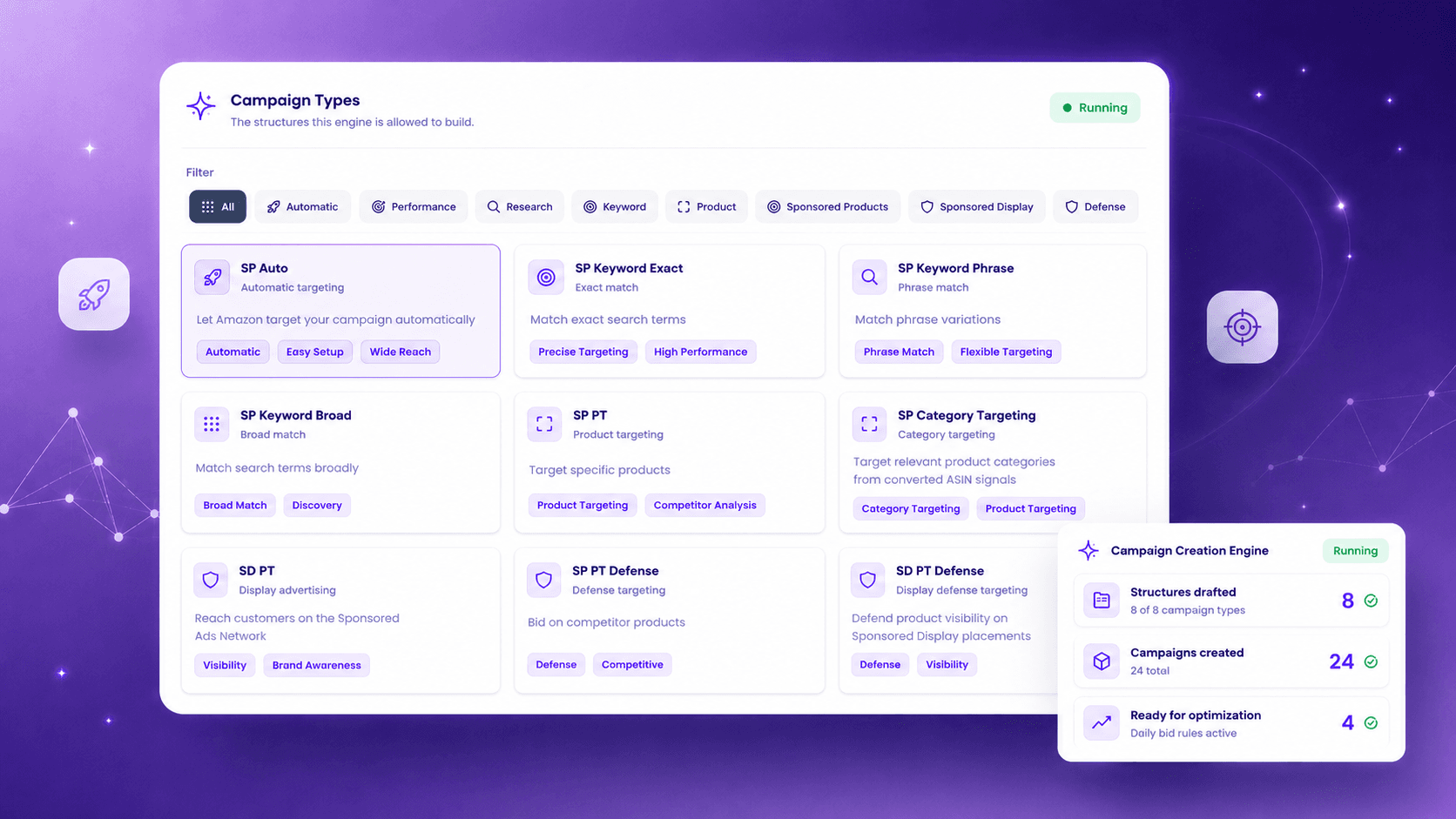
New products get covered without anyone building campaigns.
Uncovered products are detected and a full structure is drafted, with bidding, negation and dayparting applied from day one.
Campaign Creation · Demo data
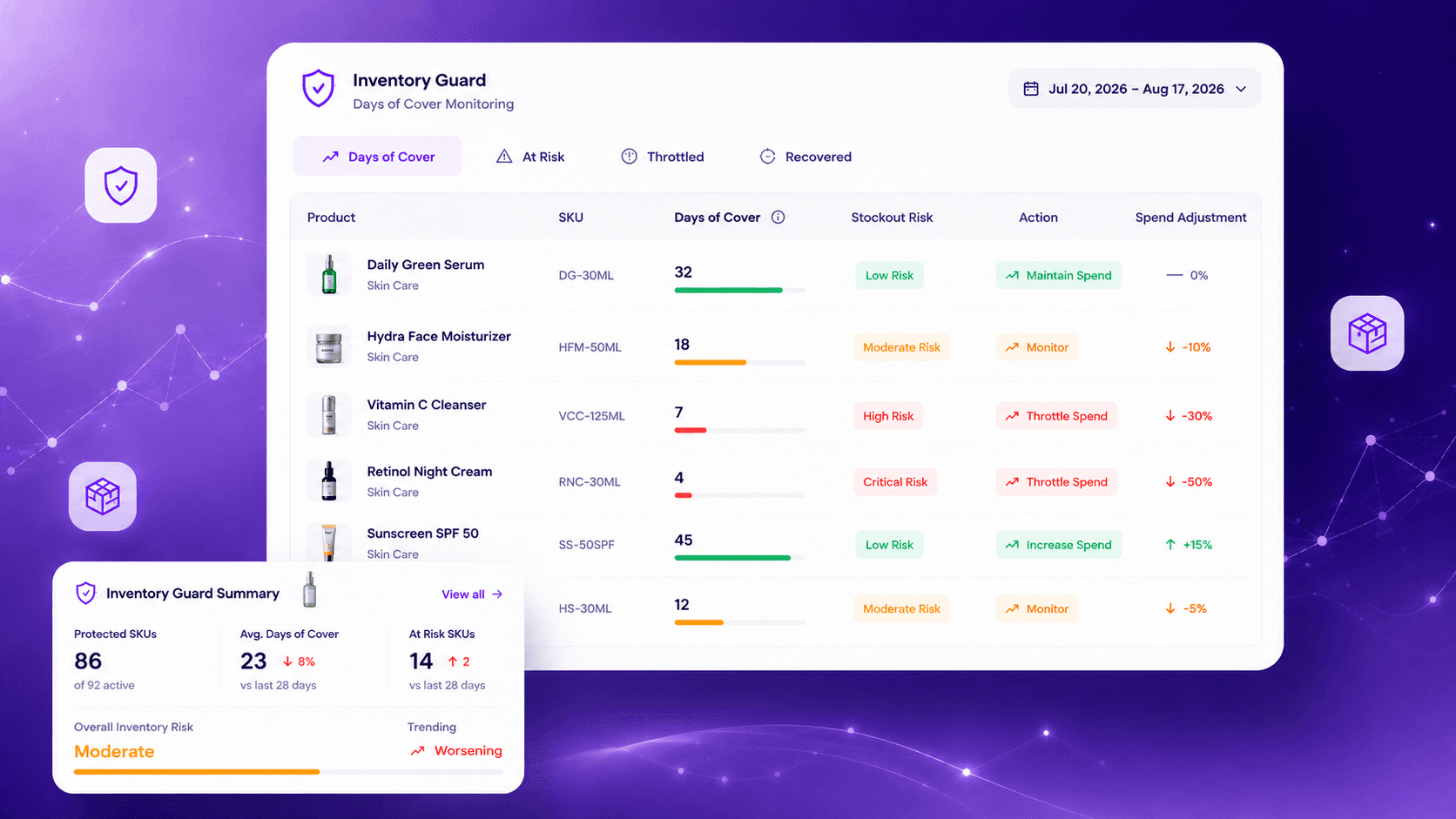
Engine 04 / Inventory Guard
Never build rank into a stockout.
Days of cover is read live per SKU. Spend throttles as the stockout window approaches, then returns as cover recovers.
Inventory Guard · Demo data
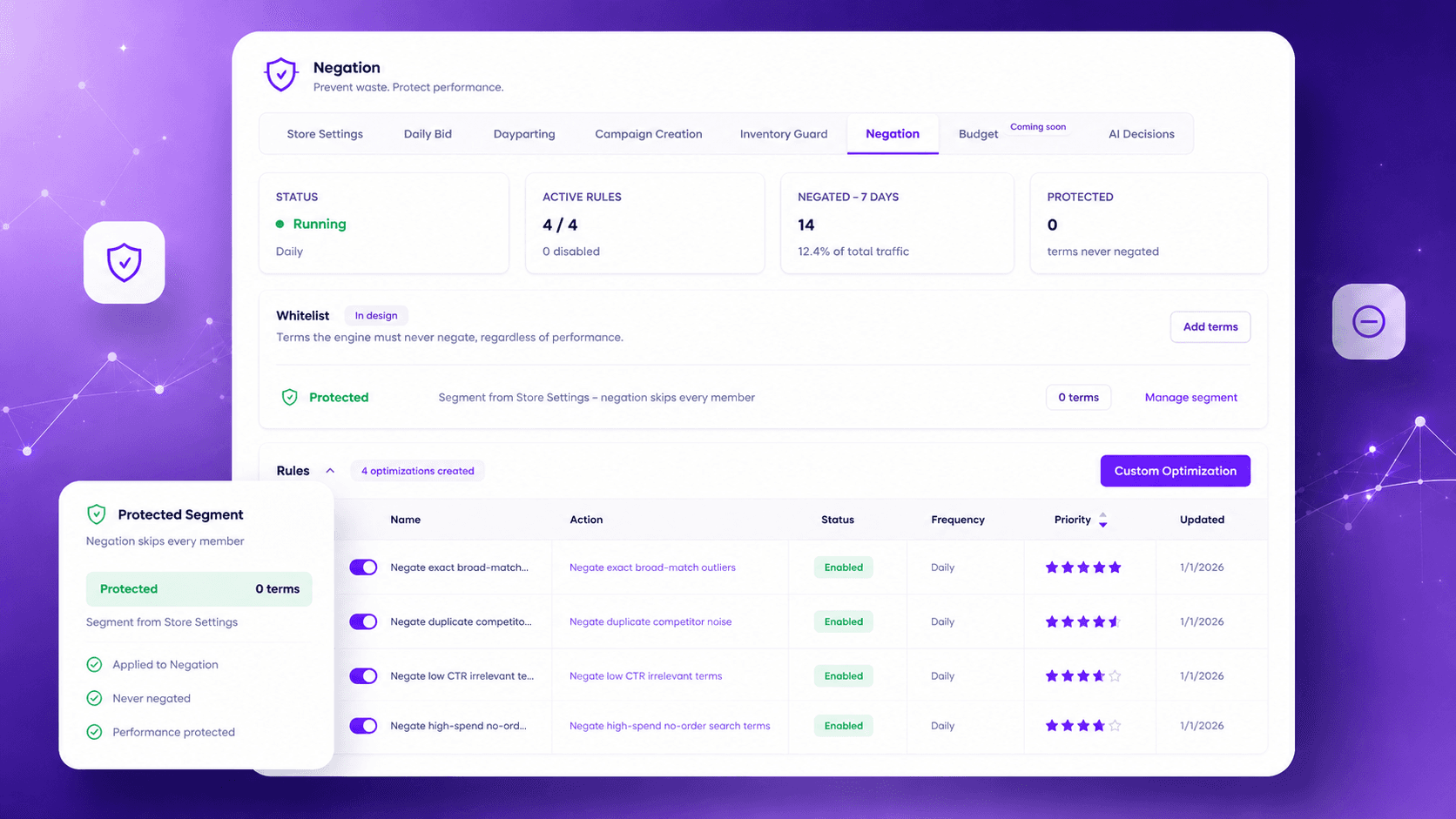
Engine 05 / Negation
Wasted spend is cut before you would have noticed it.
Non-converting search terms are negated continuously at the right level and match type. Protected terms stay protected.
Negation · Demo data
Final / Your account · your rules
Find out what your account is leaking.
See what the engines would fix first, on your own account.