Put your managers where the value actually is.

Execution runs itself inside your guardrails. Your team moves to catalog strategy, client relationships and the calls that need judgment, and carries that same senior thinking across every account at once.

Outcomes / 06

What changes when the strategy is already running?

The outcome is stated first. The mechanism underneath shows exactly how the operating model produces it.

01

Your managers change roles.

A manager's day is mostly review: check the bids, check the budgets, check what drifted. That work has a ceiling, and the ceiling is a person. Here the execution layer runs continuously inside the rules you set, so the manager's job becomes deciding what those rules should be, per client, per catalog, per stage.

02

What you sell to clients changes.

When execution is a given, the conversation with a client is no longer about what you adjusted last week. It is about which products to back, when to launch, where the category is moving, and what the account should look like in six months. That is a different service, and it is priced differently.

03

A junior's accounts run like a senior's.

Optimization logic is set once and applied identically everywhere. A new manager does not have to learn the strategy before being trusted with an account. They inherit it already running, and spend their time learning the client instead. A new specialist is productive in weeks, not months, because the playbook is already in the account.

04

More accounts per manager.

Capacity follows from the role change rather than from working faster. When throughput is not capped by review time, the number of accounts a manager can run well stops being a headcount question.

05

Evidence you can show a client.

Every bid change, negation, budget shift and pause is recorded with the signal behind it. Client reporting becomes an export rather than a reconstruction, and renewal conversations rest on a record rather than a narrative.

06

Different rules for different clients.

Configuration is per client, per segment, and per product. A launch brand and a mature catalog do not share a strategy, and here they do not have to share a configuration either.
Platform / Engines

Five engines run the account.

Five focused engines keep bids, hours, campaign coverage, inventory risk and wasted search terms under continuous control.

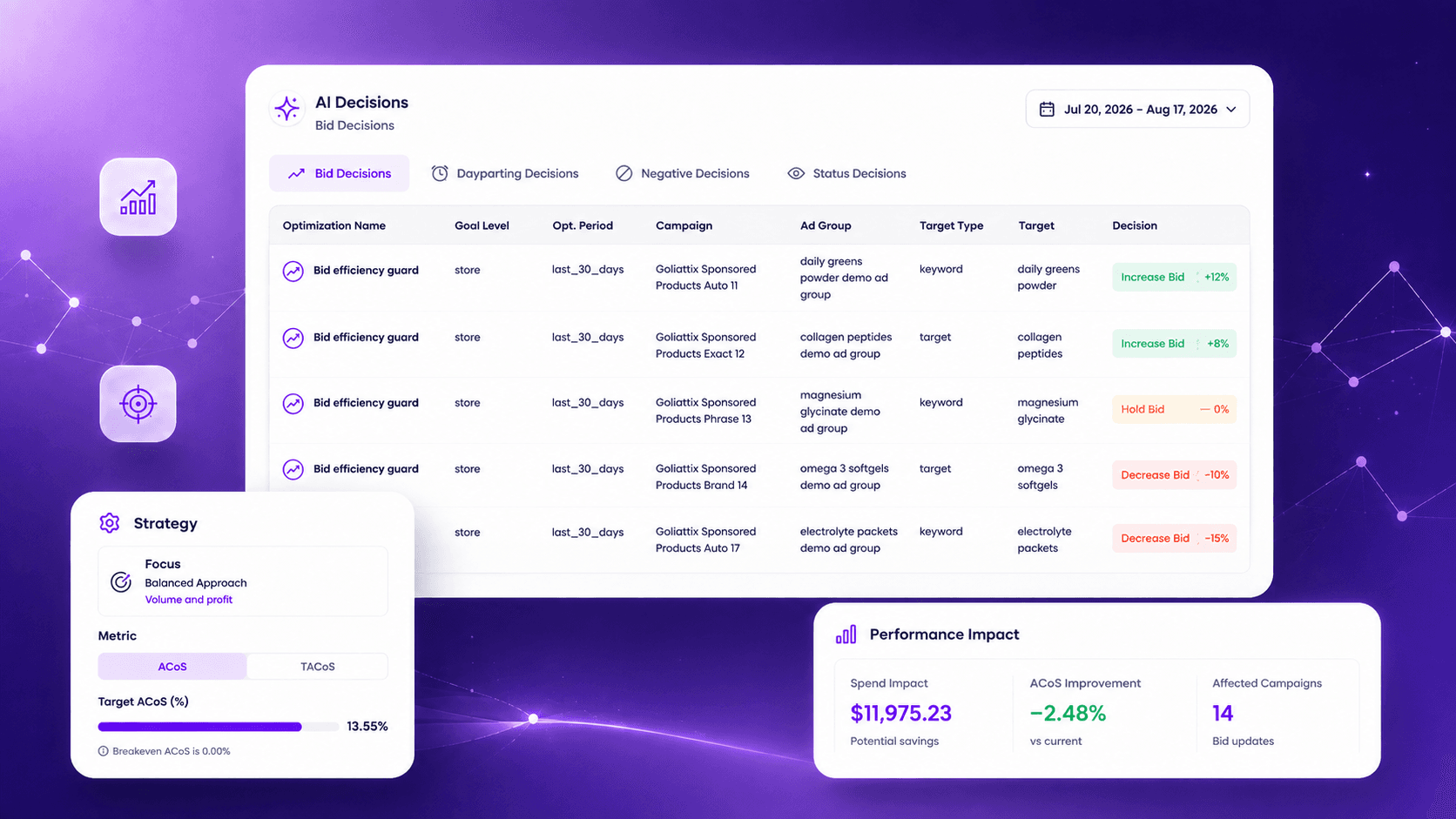
Engine 01 / Daily Bid

Bids that move with the market, not with your calendar.

Bids are recalculated against live conversion, ACoS and TACoS signals rather than a daily batch. The rules governing those adjustments ship preconfigured and can be rewritten at any level.

AI Decisions screen showing automated bid decisions, target changes, and performance impact
AI Decisions · Bid decisions demo

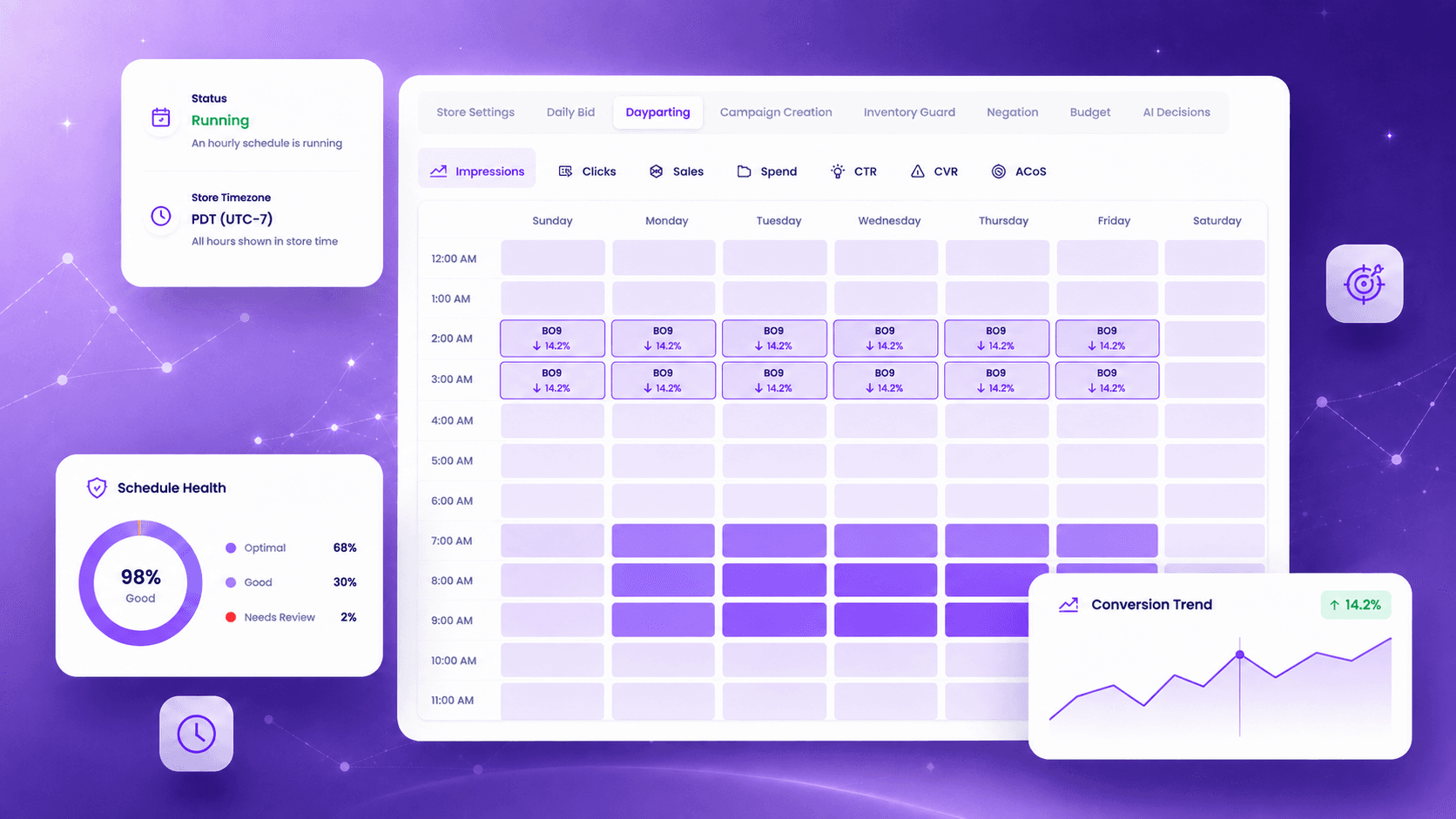
Engine 02 / Dayparting

Stop paying peak rates in hours that never convert.

An hourly conversion pattern is built per product, not borrowed from a category average. The schedule recalibrates from a rolling four-week window.

Dayparting screen showing hourly bid rules across the weekly performance grid
Dayparting · Demo data

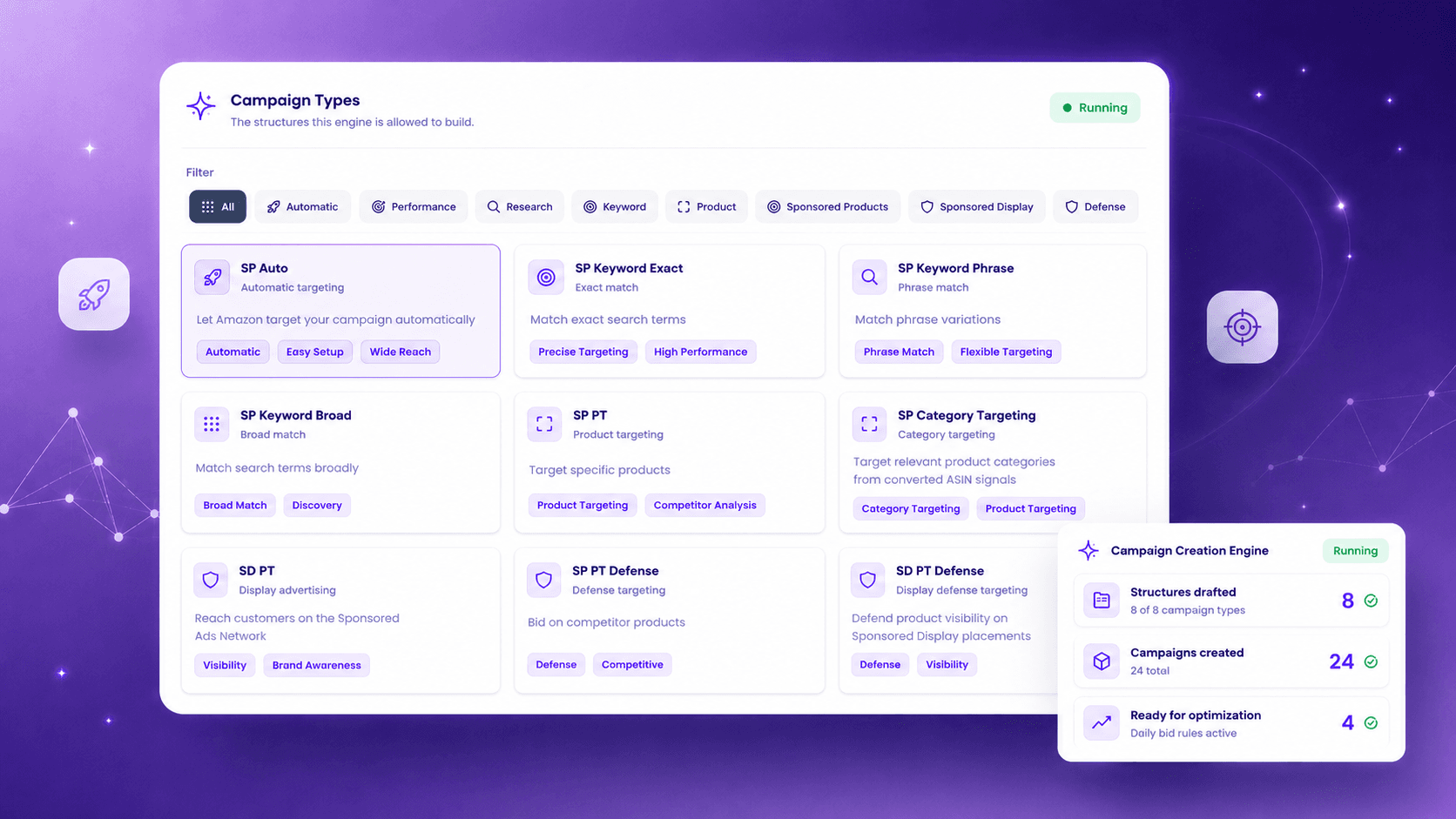
Engine 03 / Campaign Creation

New products get covered without anyone building campaigns.

Uncovered products are detected and a full structure is drafted, with bidding, negation and dayparting applied from day one.

Campaign Creation screen showing campaign types and enabled creation rules
Campaign Creation · Demo data

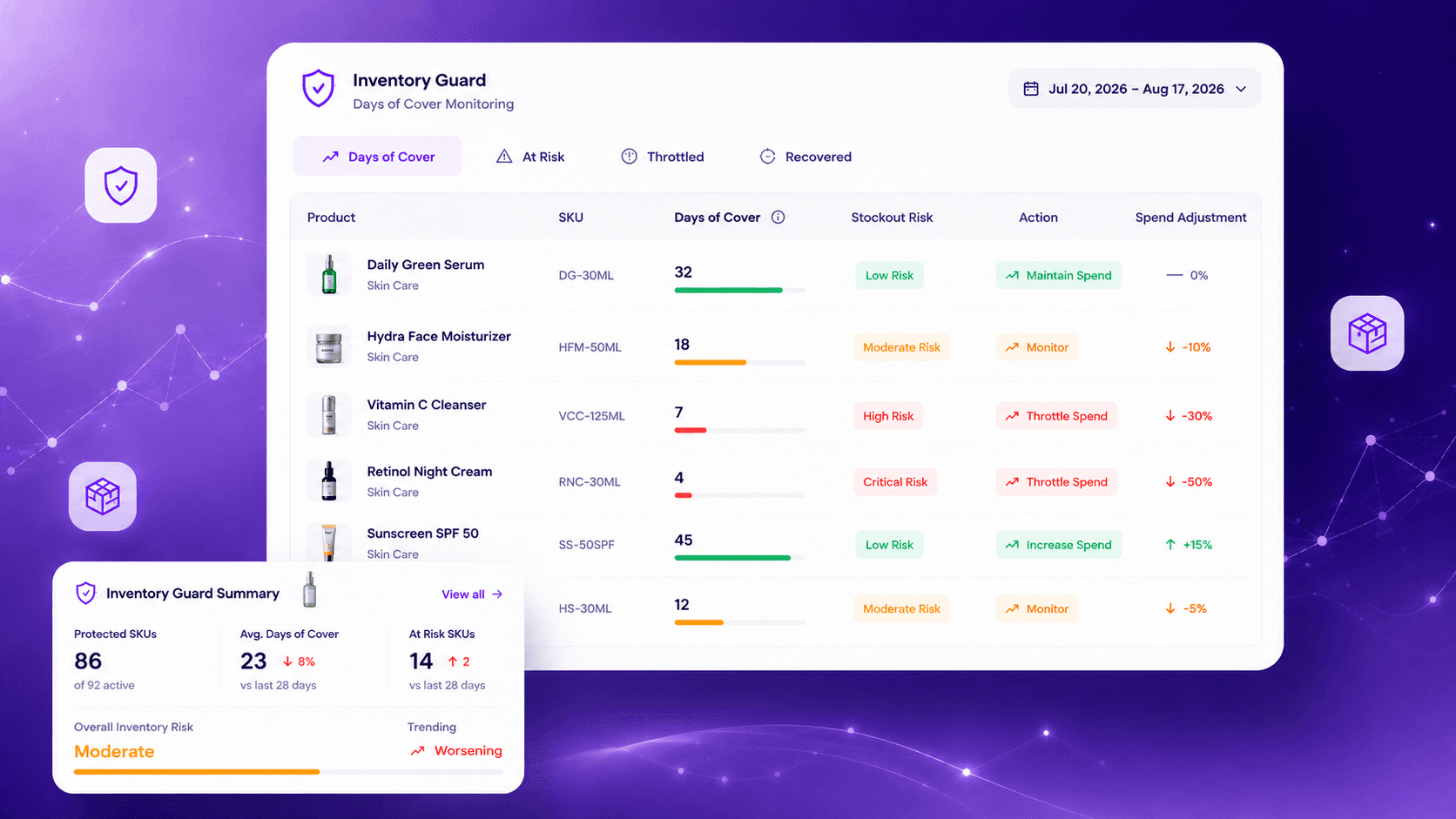
Engine 04 / Inventory Guard

Never build rank into a stockout.

Days of cover is read live per SKU. Spend throttles as the stockout window approaches, then returns as cover recovers.

Inventory Guard screen showing days of cover, stockout risk, and spend adjustments
Inventory Guard · Demo data

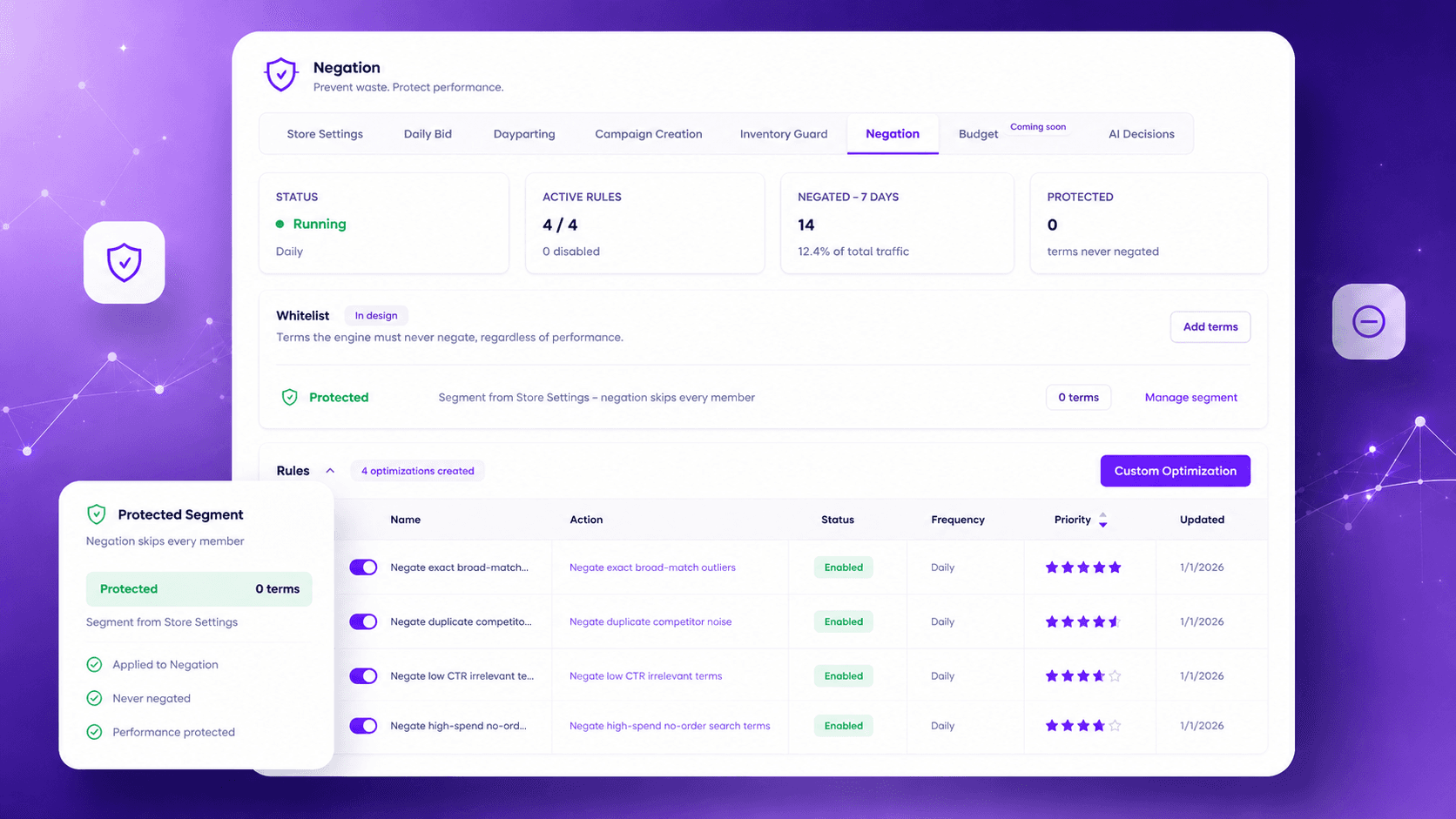
Engine 05 / Negation

Wasted spend is cut before you would have noticed it.

Non-converting search terms are negated continuously at the right level and match type. Protected terms stay protected.

Negation screen showing protected terms and enabled search-term rules
Negation · Demo data

Final / Your account · your rules

Change what your agency sells.

Walk through it on a demo, or connect one client account and see the operating model run.